 learndesign
A museum-style exhibit
Design and build a physical display, model or hands-on simulation that teaches one idea to a stranger in about a minute, with no one there to explain it. A working mechanism, a cutaway, a scale model, or an interactive that shows why something happens.
Overview
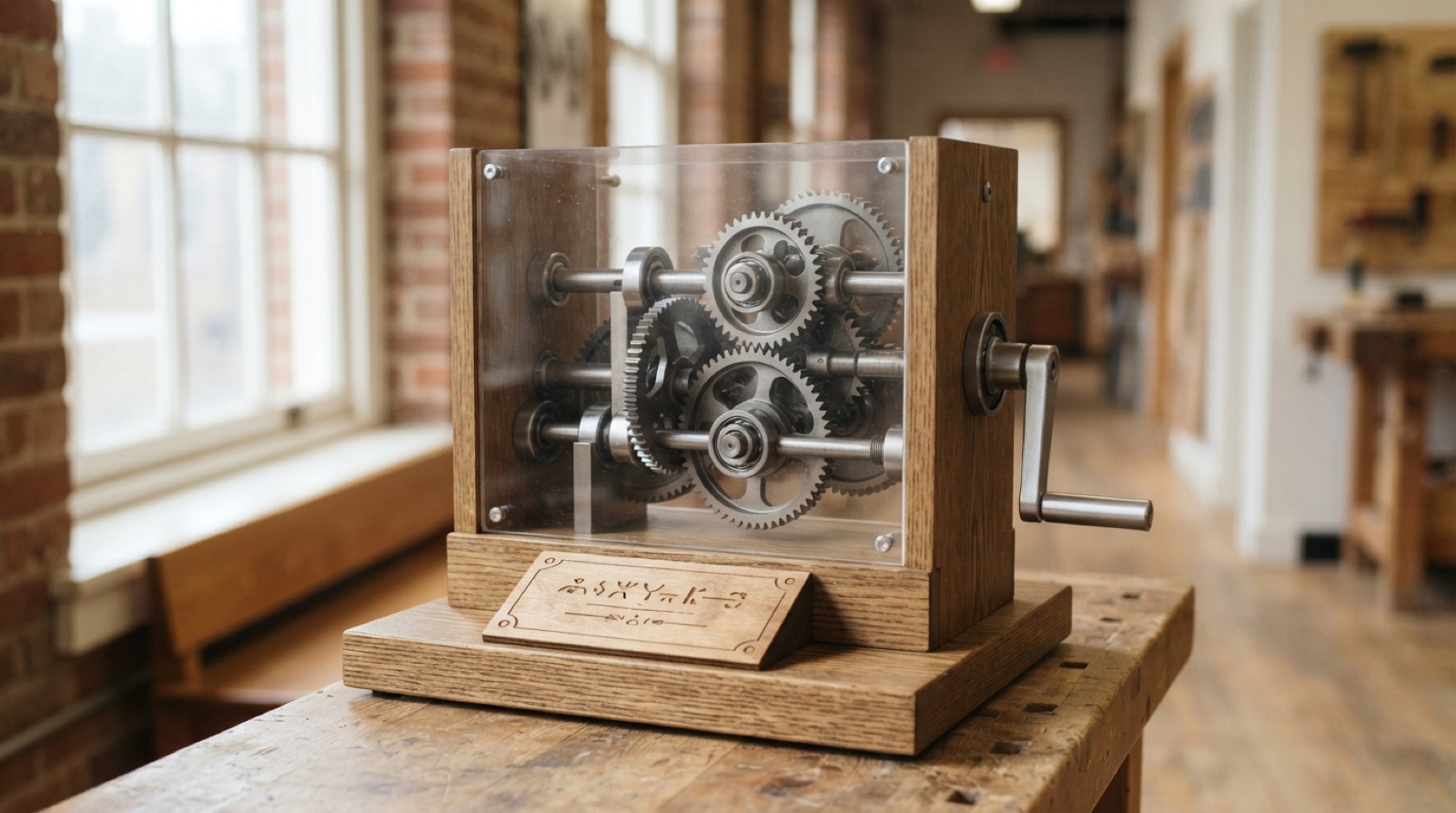
A good museum exhibit works without anyone standing beside it. A stranger walks up, sees something to do, does it, and something happens that makes one idea obvious. Turn a crank and a small gear spins a big gear slowly, and you can feel it is easier. Press a button and a ball drops through a maze of pegs and lands in the same shape of pile every time. Lift a flap and the inside of an engine is right there. Sixty seconds, and they can say what they learned.
That takes more design than it looks. The idea has to be narrowed to one thing. The action has to be obvious with no instructions. The result has to be visible and immediate. The label has to be short enough to read standing up. And the whole thing has to survive being used by everyone who passes for a month, then reset itself for the next person.
Pick an idea from any subject: a mechanism, a physical principle, a process, a place, a system. Build it as a hands-on model, a cutaway, a scale model with a section you can look into, or a small simulation run by a microcontroller. Test it on strangers. Fix it. Put it somewhere people walk past.
Skills needed
- Choosing one ideaAn exhibit teaches one thing. Not gears; why a small gear turns a big gear slower and with more force. Not the water cycle; where the rain on this roof goes.
- Interpretive designTitle, one-line big idea, 50 words of label, a thing to do, and what the visitor should notice when they do it. Write it before you build it.
- Mechanisms and modelsCranks, gears, cams, levers, pumps, cutaways; scale models with a section removed; a physical phenomenon you can trigger and watch.
- Interaction with a microcontrollerA button, a sensor, a light, a motor, a display. Idle state that invites, an action, a result, a reset. Optional, but it makes a simulation possible.
- Building for the publicHundreds of hands, no supervision. Nothing loose, nothing sharp, nothing that breaks when forced, everything resets itself, wiring hidden, finish that cleans.
- Testing with visitorsWatch five strangers use it without help. Where they hesitate, what they press, what they say the idea was afterwards. Change the exhibit, not the visitor.
Assessment
| Criterion | Developing | Proficient | Exemplary |
|---|---|---|---|
| Concept | A topic, not an idea | One idea in one sentence; action, result and takeaway defined | The action makes the idea felt, not just shown |
| Interpretation | Long text, no hierarchy | Title, big idea, 50 words, instruction; readable standing up | Label tested and rewritten from what visitors said |
| Mechanism or interactive | Works with help; fragile | Works every time, obvious to operate, resets | Elegant: the fewest parts that make the idea visible; nothing to explain |
| Build for the public | Loose, sharp, exposed wiring | Stops, guards, hidden wiring, secure fixings, clean finish | Looks like an exhibit, not a project; maintainable through an access panel |
| Visitor testing | Shown to friends | Five strangers observed, takeaways recorded, changes made | Second round shows the change worked; the takeaway matches the idea |
| Maintenance | None | Reset, wear points, access, weekly check | Spare parts and files bundled; a stranger could repair it |
Deliverables
- A one-page concept: the idea in one sentence, who it is for, what the visitor does, what they notice, and what they should be able to say afterwards
- The label copy: title, big idea, 50-word body, and instruction line, in the system's type sizes
- A Fusion model of the exhibit with the mechanism or interactive as an assembly, plus cut and print files
- The working exhibit, finished, mounted or freestanding, with hidden wiring and a power plan
- A visitor test record: five people, what they did, what they said the idea was, and the changes made
- A maintenance card: how to reset, what wears, how to open it, what to check weekly
Materials
- 3/4" and 1/4" plywood or MDF for the case and base; 1/8" plywood and 3 mm acrylic for panels, windows and labels
- PLA or PETG for gears, cams, guards and custom parts; steel rod, bearings, springs and shaft collars for anything that moves a lot
- Arduino Nano or a small board, an arcade button, a sensor, a servo or a motor, an LED strip or a small display, a plug-in supply
- Vinyl or UV-printed labels, laser-engraved acrylic, paint and clear coat
- Rubber feet, wall anchors, security screws, a lockable access panel
Steps
Week 1: One idea
- List ten things you find interesting enough to explain. For each, write the one sentence a visitor should be able to say afterwards. Cross out anything that takes two sentences.
- Pick one. Decide the form: a mechanism you operate, a cutaway you look into, a scale model with a moving part, or a simulation with a button and a result.
- Look at real exhibits: science centres, museum photos, exhibit design guides. Note how they invite the action and how short the labels are.
- Sketch three versions. For each, mark the thing to do, the thing that happens, and where the label goes. Choose one.
- Write the label copy now: title, big idea, 50 words, instruction. If it cannot be written short, the idea is not one idea yet.
Week 2: Design
- Model the exhibit in Fusion: the case, the mechanism or interactive as an assembly, the window, the label panel, the access panel.
- Design the action: a crank, a lever, a button, a flap. Size it for a hand, position it where the eye lands first, make it the only thing that looks operable.
- Design the result: what moves, lights, drops or changes, and make it large and in the sightline.
- Design for abuse: hard stops on every motion, bearings or bushings where things turn, guards over anything that could pinch, fasteners that need a tool to remove.
- If there is a microcontroller, draw the state machine: idle (attract), action, result, reset. Decide what idle looks like so people come over.
Week 3: Build
- Cut and print the parts. Build the mechanism first, on the bench, without the case. Run it a hundred times. Fix what wears or sticks.
- Build the case. Fit the mechanism, the window, the guards. Route wiring inside, through grommets, to an access panel with a latch or security screws.
- Load the code, if any. Test every state, including what happens when someone presses the button twenty times fast or holds it down.
- Apply the label copy as a printed or engraved panel. Finish all outside surfaces so they wipe clean.
- Mount it or set it on its base. Push on it. Hang on the handle. Lean on the case.
Week 4: Test with visitors
- Put it where people pass. Stand far enough away that you are not part of it. Watch five people who have not been told anything.
- For each: did they notice it, did they know what to do, did they do it, what happened, and what did they say the idea was when you asked afterwards.
- Sort the problems: attraction, action, result, or takeaway. Fix the biggest. Often it is the label saying too much, or the handle not looking like a handle.
- Test again with three new people. Record the difference.
Week 5: Finish and hand over
- Make the final changes. Tighten, touch up, replace anything that wore in testing.
- Write the maintenance card: reset, wear points, how to open it, weekly checks, and where the spare parts and files are. Fix it inside the access panel.
- Install it for real, with permission, where it was tested. Photograph it in use.
- Present the exhibit with the concept sheet and the test record: the idea, the action, what visitors said, and what changed.
Stretch options
- A pair of exhibits that teach two sides of one idea, and a test of whether visitors connect them.
- Data logging: count uses and time between them, and show the numbers on the exhibit.
- A tactile and audio version of the label for visitors who cannot read it.
- Design the exhibit as a kit: flat-pack case, printed parts, and instructions so another group could build it.