 learndesign
A scene from a story
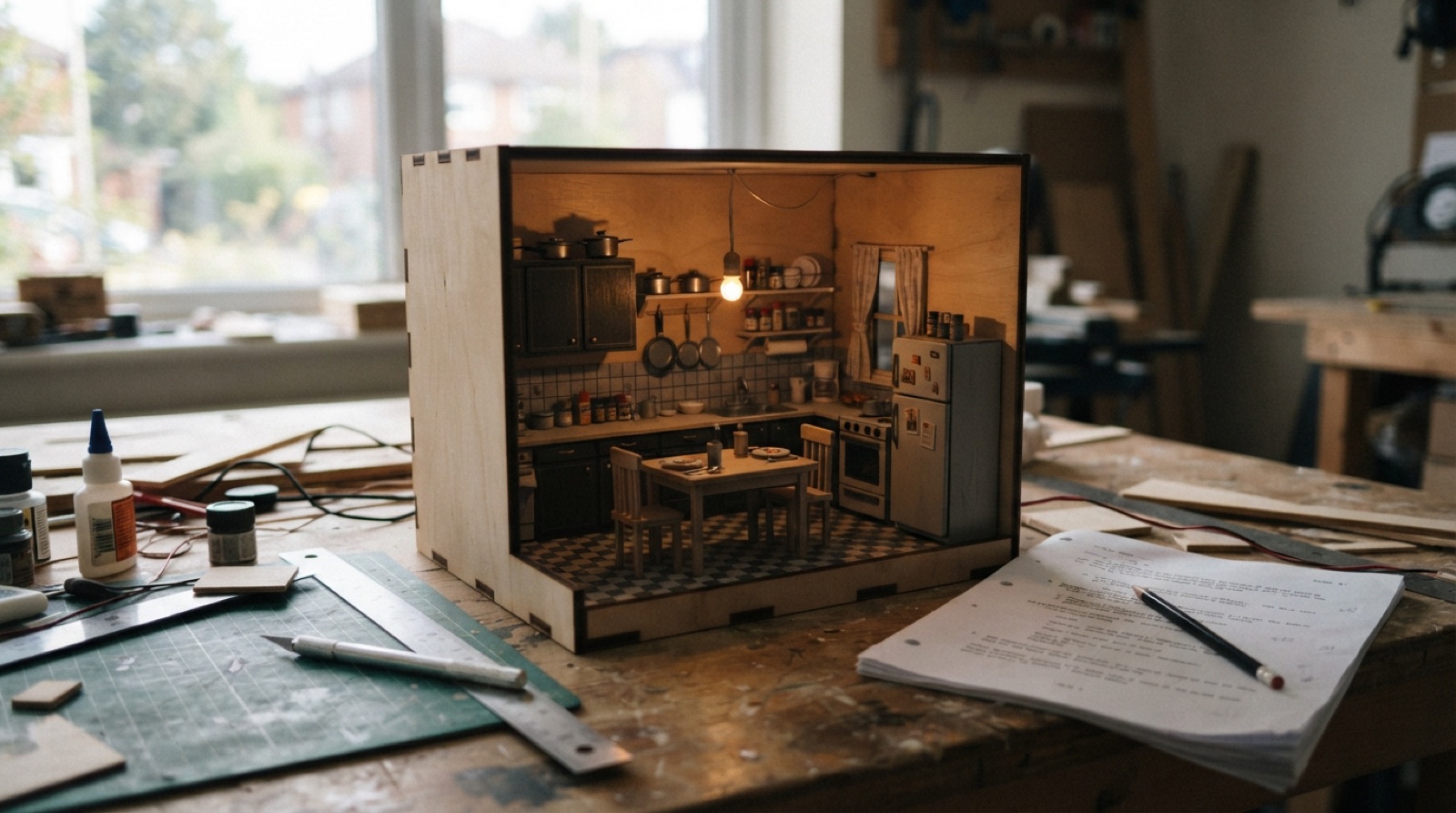
Pick one scene from a play, a film or a book and design the space it happens in, as a lit scale model. Read for what the scene needs, decide what the room says about the people in it, then build it in plywood, print and light.
Overview
Every scene happens somewhere, and the somewhere is a design. A kitchen at three in the morning where two people are not saying what they mean. A hospital corridor. A spaceship’s airlock. Before a set builder cuts a board, a designer has decided the size of the room, where the door is, whether the window has curtains and what they are made of, how much the people who live here can afford, and what the light is doing at that moment. Then a model box shows everyone else.
This project is that job. Pick a scene: a play is easiest, because the text tells you what must exist; a film scene works if you design it as a set, not a copy of the frame; a passage from a book is the hardest and the most yours, because nobody has built it. Read it for what it needs. Research the world it sits in. Draw the room at scale. Build the model, light it, and put a figure in it so the scale is honest.
The design is judged on whether the room tells the story. A beautiful room that says nothing about the people in it is a furniture catalogue.
Skills needed
- Reading a scene for designWhat the text actually requires (a door, a window, a table), what it implies (time, money, weather, who owns the room), and what the moment needs the audience to feel.
- Research and mood boardsPeriod, place and class from photographs and paintings, not from other productions. A mood board is a set of decisions, not a collage.
- Scale drawing and model makingGround plan and elevations at 1:25 (or 1:12 for a small interior), then a model box with walls, floor and furniture that match the drawing.
- Laser-cut architecture, printed detailWalls, floors, stairs and mouldings from 1/8" plywood and card; furniture, props and figures from the printer.
- Lighting the modelTwo or three LEDs with a direction, a colour and a reason. Optional, a microcontroller that runs the lighting change the scene calls for.
- Presenting a designA scale figure, a viewing angle that matches the audience, and a two-minute explanation of the choices.
Assessment
| Criterion | Developing | Proficient | Exemplary |
|---|---|---|---|
| Reading the scene | Lists objects mentioned | Requirements and implications separated; time, place, status and mood identified | Finds a demand in the text nobody else noticed and designs for it |
| Research | Images from other productions | Primary images of the period and place, each with a stated contribution | Research produces a decision that changes the room |
| Drawing | Model built without a plan, or plan not to scale | Plan and elevation at scale; model matches | Sightlines or camera angles checked on the plan and used to place things |
| Model making | Rough, out of scale, unpainted | Clean cuts, consistent scale, finished surfaces | Textures and wear read from the audience position; nothing looks like plastic |
| Lighting | One light, no reason | Direction and colour chosen for the moment; the room reads | Lighting makes the moment; a second state is built for the change in the scene |
| Statement | Describes the model | Explains what the room says about the people and how | Every notable choice is traced to the text, the research, or the moment |
Deliverables
- The scene, marked up: every line that requires or implies something about the space, with a note on what
- A research board of eight to twelve images with a sentence each on what it contributed
- A ground plan and one elevation at scale, dimensioned, with the audience or camera position marked
- The model box, lit, with a scale figure in it
- A rendered or photographed view from the audience position, and one from an angle the audience never gets
- A one-page designer's statement: what the room says about the people in it and how the design says it
Materials
- 1/8" plywood or MDF and 1 mm card for walls, floor and flats; a base of 1/4" plywood
- PLA for furniture, props and a scale figure; matte primer and acrylic paints
- Warm and cool 3 mm or 5 mm LEDs, resistors, a coin cell or USB supply; optional Arduino Nano and a small switch
- Fine sandpaper, wood glue, PVA, masking tape, a scalpel and a steel rule
- Scrap fabric, paper and wire for curtains, bedding and anything that hangs
Steps
Week 1: Read, research, decide
- Choose the scene and read it three times. First for the story. Second with a pencil, marking every line that needs an object, a door, a level, a window, a sound from off. Third for what is implied: what time it is, what the weather is, who pays for this room, what has just happened in it.
- Write the list: requirements (must be there), implications (should be there), and the moment (what the audience has to feel at the peak of the scene).
- Research the world. Period photographs, paintings, architecture, catalogues, the kinds of chairs people like these actually owned. Eight to twelve images, each with one sentence about what it gives you. No images of other productions of the same piece.
- Decide the three big things: the shape of the space, the one object that carries the scene, and the light at the key moment. Sketch the room from the audience position, then from above.
Week 2: Draw
- Choose the scale and the frame: a stage with an audience on one side, or a camera with a lens angle. Draw the ground plan at scale with the walls, doors, windows, levels and furniture. Mark the audience or camera.
- Draw one elevation, usually the back wall, with heights: door heads, window sills, picture rails, the height of the thing on the wall.
- Check sightlines on the plan. Can the audience see the door open? Does the table block the person who has to be seen at the peak moment? Move things until the plan works.
- Model the walls, floor and furniture in Fusion at full scale, then export at model scale for the laser and the printer. Furniture the audience will see closely, or that carries the scene, gets modelled with care. Everything else can be simple.
- Plan the lighting: where the practical sources are in the room (a lamp, a window), which LEDs stand in for them, and which one is the key light for the moment.
Week 3: Build
- Cut the base, the floor and the walls. Assemble the box square. Paint or paper the surfaces before the furniture goes in; walls are easier to finish empty.
- Print the furniture and props. Prime, sand, paint matte. Shiny plastic looks like plastic from any distance.
- Add the things that hang and drape: curtains from fabric, bedding, a coat over a chair. These are what make a room look lived in.
- Wire the LEDs. Hide the wires under the floor and behind the walls. Aim the key light at the place where the peak moment happens. Check the colour: warm for a lamp, cold for a window at night, dawn if the scene says dawn.
- Put the scale figure where the character stands at the peak moment. Look from the audience position. Fix what looks wrong.
Week 4: Present
- Photograph the model from the audience position, with the lighting on, and from one angle the audience never gets, to show the construction.
- If the scene has a lighting change, build the second state and photograph it too. With a microcontroller, run the change on a button.
- Write the designer’s statement: what the room says about the people in it, the three decisions that say it, and where in the text each one comes from.
- Present the model with the marked-up scene beside it. Two minutes: the moment, the room, the choices.
Stretch options
- Design the same scene twice, for a stage and for a camera, and show what changed and why.
- Build a second scene from the same story in the same world, and check that the two rooms could exist in the same building.
- Add sound: the off-stage noise the text calls for, on a button.
- Take one piece of furniture to full size as a set piece.