 learndesign
A better wayfinding system for your school
Find out where people actually get lost in your building, then design the signs, colours, names and maps that fix it. A system, not a sign. Tested with strangers before anything is printed.
Overview
Buildings are full of signs and people still get lost. That is because signs get added one at a time by whoever needed one, in whatever font was on the printer, pointing at things by names half the building does not use. A wayfinding system is different: a set of rules about names, colours, type, arrows and positions that make every sign predictable, so a person only has to learn it once.
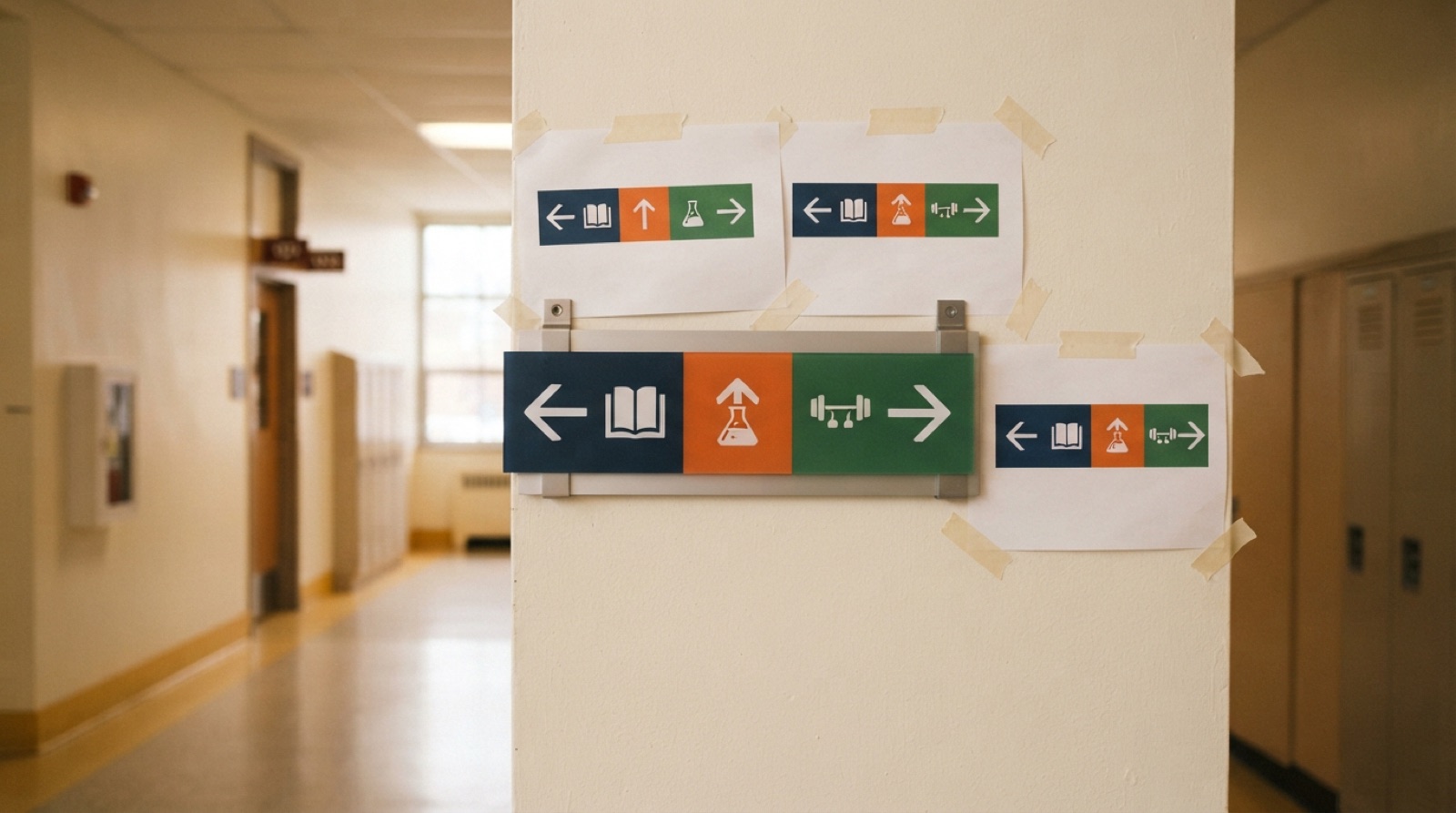
This project starts by finding out where people actually fail. Stand at a junction and watch. Ask someone who has never been in the building to find the library, the gym and a specific room, and follow them. Photograph every sign on the way. The failures cluster: a junction with no directional, a room with two names, a sign at a height nobody looks at. Then design the rules, prototype in paper, test with new strangers, and produce real signs for one route.
The product is the system document and a proved route, not a poster. If the rules are good, anyone can make the next sign and it will match.
Skills needed
- Observing and interviewingWatching people at junctions, counting hesitations and wrong turns, asking newcomers to find three places while thinking out loud. Data before opinions.
- Information designWhat a person needs to know at each decision point, and nothing more. Hierarchy, arrows, naming, and the difference between a directional, an identification and a map.
- Typography, colour and pictogramsOne typeface, sizes set by viewing distance, contrast that meets accessibility guidance, colours that mean one thing everywhere, pictograms drawn to one grid.
- Mapping the buildingA simplified plan, oriented to the way the viewer faces at the map, with a you-are-here that is actually where they are.
- Producing signsCut vinyl on acrylic or aluminium, UV-printed panels, laser-cut and engraved plates, and fixings that survive a corridor.
- TestingPaper prototypes first. Time strangers finding places before and after. Change what the test says to change.
Assessment
| Criterion | Developing | Proficient | Exemplary |
|---|---|---|---|
| Audit | Photos of a few signs | Every sign on a route, decision points mapped, hesitations counted | Failures ranked by frequency and severity, with the cause named for each |
| Testing | One friend who knows the building | Five outsiders, think-aloud, timed, on set tasks | Before-and-after with different outsiders; results change the design |
| System design | A sign design | Naming, colour, type, sizes, pictograms, sign types, heights, all written down | Rules are complete enough that a stranger could make a matching sign for a room not on the route |
| Accessibility | Not considered | Contrast, sizes and heights meet the constraints | Tactile or high-contrast versions where they matter; tested with someone who uses them |
| Production | Rough, inconsistent, poorly fixed | Three signs made to the system, straight, level, secure | Look like they were always there; fixings and materials suited to the corridor |
| Rollout note | None | Sign count and cost per sign | Phased plan with the highest-impact signs first, and who maintains the naming |
Deliverables
- An audit of the current system: photos of every sign on one route, a map of decision points, and a count of hesitations and wrong turns observed at each
- Findings from at least five wayfinding tests with people who do not know the building
- A system document: naming rules, colour meaning, typeface and sizes by distance, pictogram set, sign types, mounting heights
- A signed plan of one route or zone showing every sign, its type and its position
- Paper prototypes installed and tested, with the results and the changes they caused
- At least three production signs made and installed, and a before-and-after test with new people
- A rollout note: what it would take to do the whole building, with a cost per sign
Materials
- A floor plan of the building, printed at a scale you can draw on
- Paper, card, masking tape and a marker for prototypes; a clipboard and a stopwatch for tests
- Sign vinyl in the system colours, 3 mm acrylic or aluminium composite panels, UV-printable substrate
- 1/8" acrylic or plywood for laser-cut and engraved plates; standoffs, VHB tape, screws and anchors for mounting
- A tape measure and a laser level for consistent heights
Steps
Week 1: Audit
- Pick one route or zone: from the main entrance to three destinations people ask about. Walk it with a camera. Photograph every sign, every name on a door, every map. Note the height and the condition.
- Mark the decision points on the floor plan: every place a person has to choose a direction.
- Observe at the two busiest junctions for 20 minutes each. Count people who pause, look around, backtrack or ask. Write down where they were looking.
- Run five think-aloud tests: someone who does not know the building tries to find the three destinations from the entrance, saying what they are looking for as they go. Follow, time them, and note every hesitation and wrong turn and what sign they looked at when it happened.
- Rank the failures. Most common first, then most costly.
Week 2: Design the system
- Fix the names. Make the list of every place on the route with one official name each. Where there are two names in use, choose one and write down why.
- Choose the colour meaning, if colour is used. A colour per wing or floor, never per sign. Check every pair for contrast and for colour-blind separation.
- Choose the typeface and the size ladder: identification, directional, map. Calculate the cap height for the longest viewing distance on the route.
- Draw the pictograms you need on one grid at one stroke weight. Use standard ones where they exist; people already know them.
- Design the three sign types: an identification plate, a directional blade, and a map. Write the system document with all of it.
Week 3: Prototype and test
- Print the signs on paper at full size. Mount them with tape at the heights in the system, at every position on the route plan.
- Run five new tests with five new people. Same tasks, same timing, same notes.
- Compare to the audit. Where hesitation moved rather than vanished, find out why. Reword, re-place, resize.
- Test the map alone: stand a stranger at it and ask where they are and how they would get to a destination. If they turn the map in their head, the map is oriented wrong.
- Update the system document with what the tests changed.
Week 4: Produce
- Choose materials per sign type: cut vinyl on acrylic for identification, a UV-printed panel for the map, laser-engraved acrylic with a filled letter for anything tactile.
- Make three or more production signs for the highest-impact positions from the test. Cut, weed, apply, mount on standoffs or VHB, level with a laser.
- Photograph each in place beside its paper prototype.
Week 5: Verify and hand over
- Run three more tests with new people on the produced route. Record times and errors. Compare to the audit.
- Write the rollout note: sign count for the whole building by type, cost per sign from what you made, the order to do them in, and who keeps the naming list.
- Hand over the system document, the route plan and the rollout note together, so the next signs match.
Stretch options
- Design and test the tactile and braille version of the identification plate.
- Add a digital layer: a QR on the map that opens a route on a phone, or a display at the entrance that shows today’s events by room.
- Prototype floor graphics or a coloured line on the floor for one route, and test it against the wall signs.
- Extend the system outdoors: parking, entrances and the path between buildings.