 learndesign
Interactive display module
Design and build one interactive module on a 10" × 10" plywood square that stands alone and also lives beside other people's modules on a shared wall. An Arduino, some inputs, some outputs, and an experience that makes a stranger say "that was fun" or "interesting".
Overview
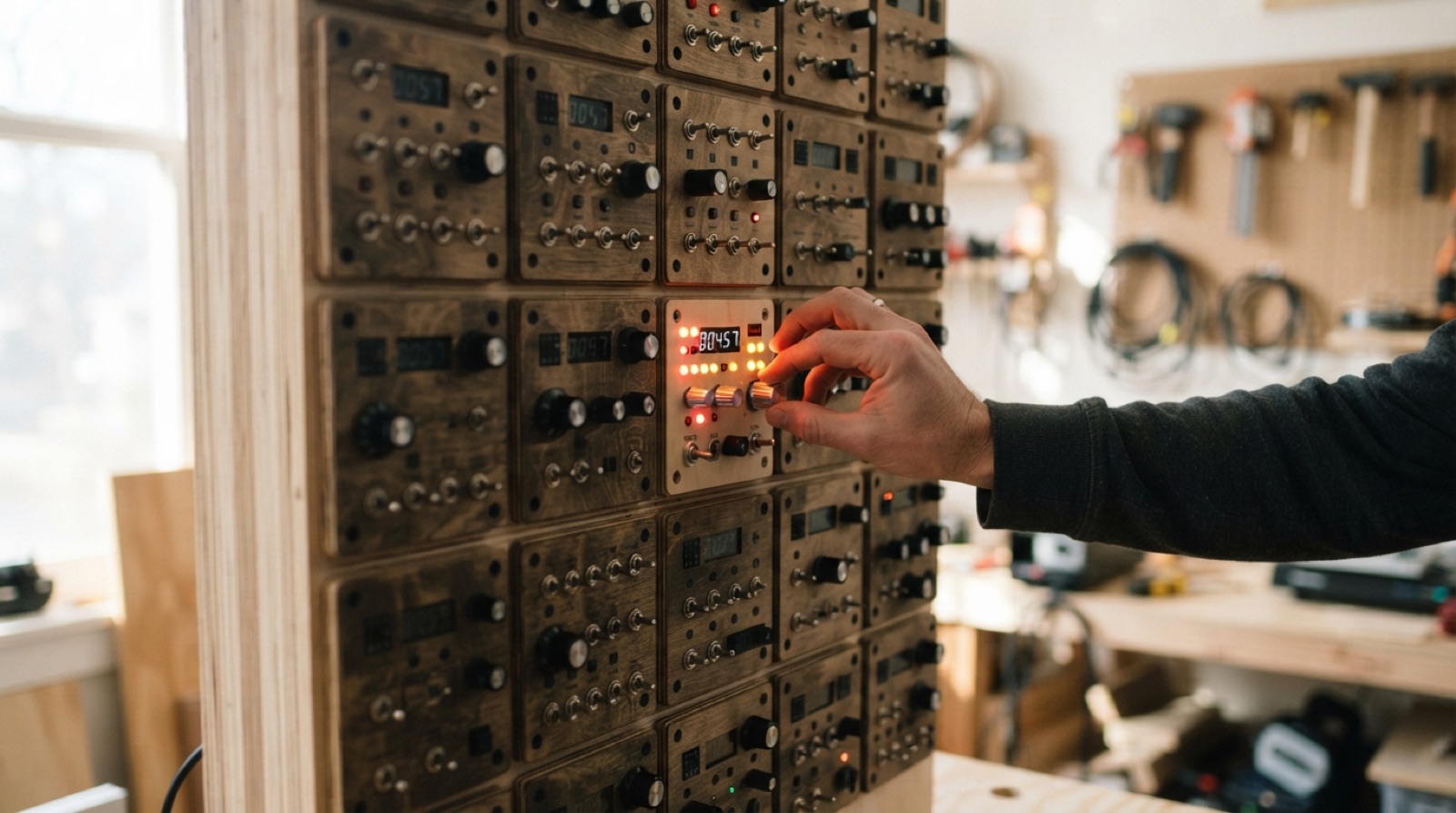
A wall of small machines, each one made by a different person, each one doing one thing well. A button that plays a tune. A dial that changes a colour. A sensor that notices a hand and reacts. A tiny game with a score. Together they make a display that people stop at, poke, and talk about. Alone, each one is a complete product on a 10" square of plywood.
The square is the whole constraint and the whole opportunity. It has to hold the Arduino, the inputs, the outputs, the wiring and the graphics, and mount flat to the wall beside modules that other people designed. It gets 5 V and 12 V from the wall and can draw 15 W at most. Whatever happens on it has to be obvious to someone who walks up with no explanation, and it has to survive that person and the next hundred.
This is an electronics project and an interaction design project in equal parts. The circuit can be simple; the experience cannot be careless. The test is a stranger, and the only acceptable results are “that was fun” and “interesting”.
Skills needed
- Arduino inputs and outputsDigital and analog reads, PWM, a button with a pull-up, an ultrasonic or light sensor, driving LEDs, a speaker, a motor or a small display.
- Designing the behaviour as a state machineIdle, invite, interact, respond, reset. Every state has a look; every arrow has a trigger; nothing gets stuck.
- Interaction design for strangersOne obvious thing to do, a result within a second, an attract state that draws people over, and no instructions longer than one line.
- Wiring, power and protectionWorking from the wall's 5 V and 12 V supply within a 15 W budget; a fuse or polyfuse on the module; common ground; no bare conductors; strain relief where the cable enters.
- Laser-cut and printed parts on a boardThe 10" square as the base, cut and engraved graphics on it, standoffs, bezels, button guards and sensor mounts from the printer.
- Building for a public wallHundreds of hands, no supervision, other modules beside yours. Everything fixed, nothing sharp, and it looks like it belongs with its neighbours.
Assessment
| Criterion | Developing | Proficient | Exemplary |
|---|---|---|---|
| Concept | A circuit, not an experience | Clear purpose, one-line instruction, a defined feeling or takeaway | Strangers use it correctly with no instruction and say why they liked it |
| Behaviour and code | Works with help; loops or gets stuck | State machine implemented; idle, interact, respond, reset all work; code commented | Attract state draws people; timing feels right; code readable by another builder |
| Electronics | Loose wires, wrong resistor values, pins overloaded | Correct circuit, drivers where needed, fused, common ground, tidy | Power budget measured and under 15 W; survives an hour at full load; nothing warm |
| Build on the board | Components taped, wiring on the front | Laser and printed parts hold everything; wiring behind or covered; strain relief | Looks like a product; graphics engraved; belongs beside its neighbours |
| Public robustness | Breaks when forced | Buttons guarded, sensors mounted, nothing detaches, resets itself | Tested by forcing; failure modes designed out; label with reset instructions |
| Testing and record | Shown to friends | Five strangers observed; diagram and record match the build | Test changed the design; second round confirms it |
Deliverables
- A one-page concept: what the module does, who it is for, the one-line instruction, and what the visitor should feel or learn
- A state diagram of the behaviour and a block diagram of the electronics with the power budget worked out
- A Fusion model of the board layout with every component as a reference body, plus laser and print files
- The working module, on its 10" board, wired to the wall standard, tested at full power for an hour
- The code in a repository with comments, and a wiring diagram that matches the build
- A visitor test record: five people, unprompted, what they did and what they said
- A back-of-board label: name, power draw, what it does, and how to reset it
Materials
- 10" × 10" × 3 mm plywood board, one per module, from the shared template with the mounting pattern already cut
- Arduino Nano or Uno, jumper wire, a small perfboard or a screw-terminal shield
- Inputs: tactile and arcade buttons, ultrasonic sensor, light sensor, sound sensor, potentiometers, a capacitive touch pad
- Outputs: LEDs and addressable strips, a piezo or small speaker with a driver, a servo or DC motor with a driver, a 16×2 LCD or a small OLED
- Power: the wall's 5 V and 12 V feed through the shared connector, a polyfuse, a buck converter if 12 V is used for a motor and 5 V for the logic
- PLA or PETG for bezels, guards, mounts and standoffs; M3 screws and heat-set inserts; zip ties and adhesive cable clips
- 3 mm plywood or acrylic offcuts for engraved labels and overlays
Steps
Week 1: Learn the parts, choose the idea
- Build the traffic light state machine on a breadboard. Then swap the button for a sensor and the LEDs for a speaker. Get the feel of inputs and outputs before choosing anything.
- Try every sensor in the kit for ten minutes each. Write down what each one is good at noticing and what confuses it.
- List ten ideas for a module. For each: what the visitor does, what happens within a second, why they would smile. Cross out anything that needs an explanation longer than one line.
- Pick one. Write the concept page. Draw the state diagram: idle or attract, invite, interact, respond, reset. Mark what each output does in each state.
- Draw the block diagram: Arduino, each input, each output, drivers, the fuse, the connector. Add up the current at 5 V and 12 V. Under 15 W, with room.
Week 2: Prove it on the bench
- Breadboard the whole thing. Get every input reading and every output firing before any code does anything clever.
- Write the state machine. One function per state, one variable for the current state, transitions in one place. Serial print the state so you can watch it.
- Test the edge cases: hold the button down, press it twenty times fast, wave a hand at the ultrasonic from the side, cover the light sensor, walk away mid-interaction. It has to return to idle on its own.
- Measure the current draw at the busiest moment with a meter. Record it.
- Sketch the board layout at full size on paper. Where the hands go, where the eyes go, where the wiring hides.
Week 3: Design and build the board
- In Fusion, model the 10" board from the shared template. Add every component as a reference body from measured dimensions. Place them from the paper layout.
- Design the printed parts: a bezel for a display, guards around buttons, a mount that aims a sensor, standoffs for the Arduino, a cover for the wiring. Design the engraved graphics: the instruction line, the title, arrows.
- Cut and engrave the board. Print the parts. Fit everything dry; adjust in the model, not with a knife.
- Move the circuit from breadboard to perfboard or a terminal shield. Solder, heat-shrink, label the wires. Route wiring behind the board or under covers. Add the fuse and the connector. Strain-relieve the cable.
- Power it from a bench supply first, at the wall’s voltages, with a meter in line. Run it for an hour. Touch every component; nothing should be warm.
Week 4: Test, join the wall, hand over
- Put the module on a table where people pass. Watch five strangers. Record what they did, whether they understood it, what they said. Change the module, not the visitor.
- Force it. Push the buttons hard, block the sensors, pull on anything that sticks out. Fix what moves.
- Check the power budget and the fuse against the wall’s rules. Connect to the wall with the shared connector, power last. Confirm it runs with its neighbours on and off.
- Fix the back-of-board label: name, power draw at 5 V and 12 V, what it does, how to reset it.
- Commit the code and the wiring diagram. Present the module in one minute on the wall: the idea, the interaction, what the test changed.
Stretch options
- Make two modules talk: a wire or a light between neighbours so an action on one changes the other.
- Log every interaction to an SD card and show the day’s count on the module.
- Replace the Arduino with an ESP32 and put the module’s state on a web page.
- Design the module so its graphics and code can be swapped for a different theme without rewiring.