 learndesign
A working model of a human joint
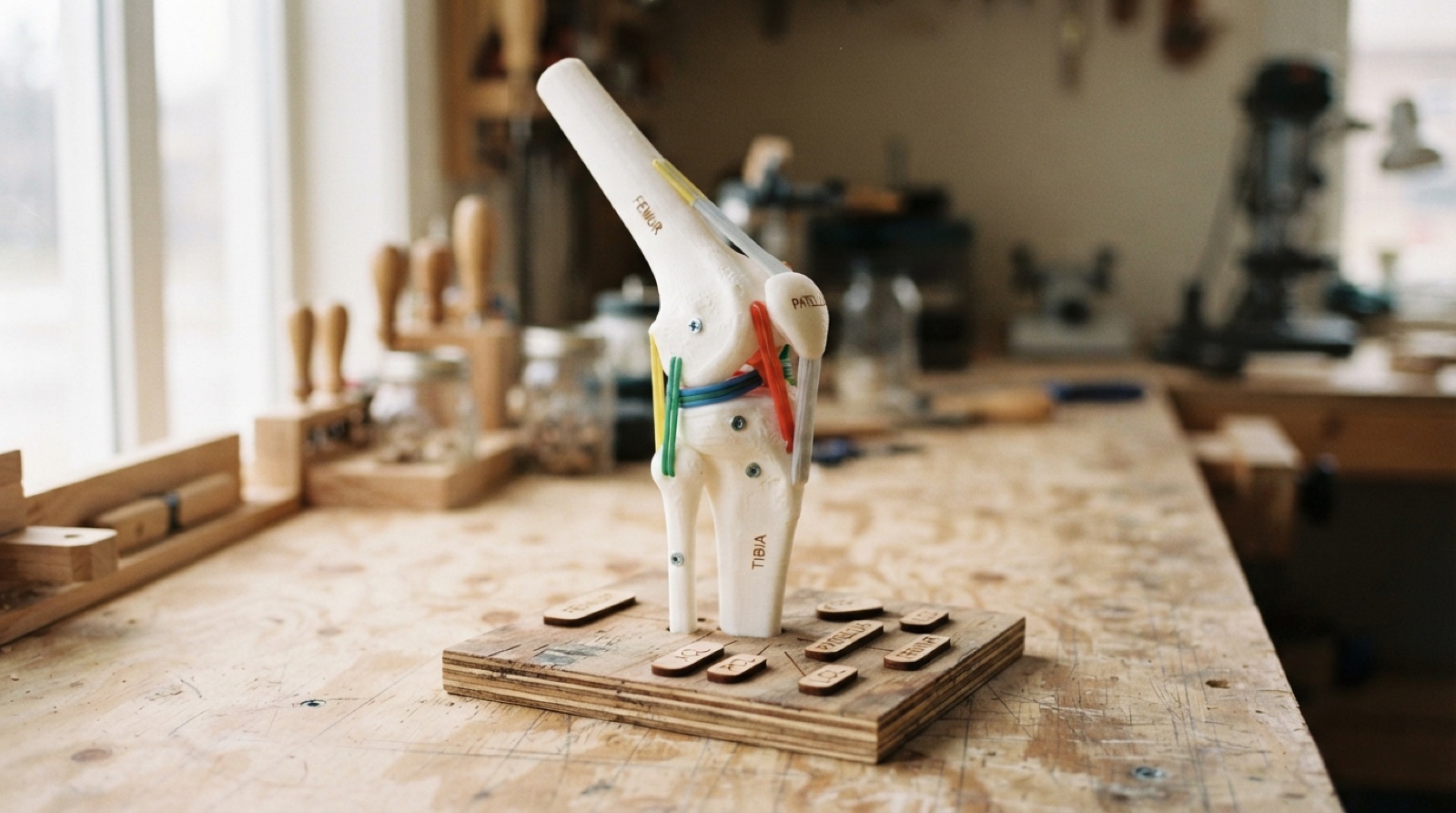
Build a tabletop, display-grade model of one human joint that moves the way the real one moves and stops where the real one stops. Bones printed, ligaments that limit motion, muscles that drive it if you go that far, on a base that says what you are looking at. Designed with a kinesiology partner who knows the anatomy.
Overview
A joint is a mechanism. Two bones meet on shaped surfaces, ligaments hold them together and stop them going too far, muscles pull across the gap to move them. A knee is a hinge that also rolls and glides. A shoulder is a ball-and-socket with almost nothing stopping it except soft tissue. An elbow is a hinge and a pivot sharing a capsule. Every one of those can be built.
This project builds one, for a tabletop, to a standard that could sit in a display case and be handled by anyone who walks past. It is a collaboration: a kinesiology partner knows the anatomy and what the model has to show, and you know how to make a thing that moves, stops, and survives. They check the motion; you make the motion. The model is judged on both.
Pick a joint and a question: what does this joint let the body do, and what stops it? The model answers by being moved. Flex the knee and feel the tibia glide. Rotate the shoulder and see where the ligaments go taut. Then the labels and the card explain what the hand just felt.
Skills needed
- Reading the anatomy with a partnerBones, articular surfaces, the ligaments that stop motion, the muscles that cause it, the planes and ranges of motion. The kinesiology partner is the subject expert; the model is checked against them, not against a picture.
- Joints in FusionFusion's joint types map onto real joints. A hinge is a revolute joint; a ball-and-socket is a ball joint; a pivot is a revolute on a different axis; a saddle is two revolutes. Limits on each joint are the ligaments.
- Getting bone geometrySimplify from an open anatomy model, or model the bone ends from reference images with the articular surfaces right and the shafts simple. Scale it up so hands can work it.
- Printing large, smooth, strong partsSplit for the bed, oriented so the articular surface is smooth, hollow with a solid core where a pin passes, sanded and primed.
- Ligaments, cartilage and muscles in other materialsElastic cord and shock cord for ligaments at the right length; silicone or TPU for cartilage and menisci; elastic, cord over a pulley, or a servo for a muscle that actually flexes the joint.
- Display-grade base and labelsA laser-cut base with the joint at a good height, a stand that lets it move, engraved labels in anatomical terms, and a card that says what to do and what to notice.
Assessment
| Criterion | Developing | Proficient | Exemplary |
|---|---|---|---|
| Anatomy and brief | Named a joint; anatomy from one picture | Brief written with the partner; bones, type, planes, ranges, limiting ligaments all named | Brief includes what the model will simplify and why, agreed with the partner |
| Fusion model | Bones only, no joint | Bones as components, joint of the right type with limits from the table, assembly moves on screen | Ligament paths and muscle lines modelled; print splits and pins designed from the assembly |
| Motion | Moves, but wrong axis or no stops | Every real plane of motion present; stops within 10° of the table | Secondary motion (roll, glide, screw-home) present and explained on the card |
| Materials and build | Loose, rough, breaks in handling | Bones smooth and rigid, ligaments anchored where they attach, cartilage fitted, survives the handling test | Feels right in the hand; tension in the ligaments teaches something; muscle actuation works |
| Display quality | Bare parts on a board | Base, stand, labels engraved, card written, stable | Case-ready: finish, colour, label typography, sightlines all deliberate |
| Partnership and record | Partner not involved after day one | Sign-offs at the brief and the table; test record; reflection | Partner can teach from the model; reflection names a real anatomical subtlety the model captures |
Deliverables
- A joint brief written with the kinesiology partner: the joint, its bones, its type, its planes and ranges of motion, the ligaments that limit each motion, and what the model must demonstrate
- A Fusion assembly with the bones as bodies and the joint modelled with the real degrees of freedom and limits, plus print and laser files
- A range-of-motion table comparing the model to the real joint for each movement, signed off by the partner
- The finished model on its base, moving through its range, stopping at its limits, with ligaments and any muscles fitted
- Engraved labels for the bones and at least two ligaments, and a card on the base that says what to move and what to notice
- A handling test record, a maintenance note, and a short reflection on what the model gets right and what it simplifies
Materials
- PLA or PETG for bones; filler primer, sandpaper, matte paint in a bone colour
- Elastic cord and shock cord in two diameters, cord locks or crimps, small screw eyes and printed anchor points
- TPU or silicone for cartilage pads and menisci; PTFE washers for bearing surfaces
- Steel rod or dowel for axes; small bearings or bushings; M3 screws and heat-set inserts
- 6 mm plywood for the base and stand, 3 mm plywood or acrylic for labels
- Optional: a servo or two, an Arduino Nano, a button, for a muscle that flexes the joint on demand
Steps
Week 1: Choose the joint, write the brief
- Meet the kinesiology partner. Choose the joint together from what their course needs to show: knee, elbow, shoulder, hip, ankle, wrist, a finger, the jaw.
- Learn it from them: bones, joint type, planes of motion, normal ranges, the ligaments that limit each motion, the muscles that cause it. Draw it while they explain.
- Decide the question the model answers and what it will simplify. A knee without the patella is still a knee; a shoulder without the rotator cuff is not much of a shoulder.
- Write the brief with the range-of-motion table. Partner signs it.
- Look at existing anatomical models and mechanical models. Note what makes one worth handling and what makes one a paperweight.
Week 2: Model the bones and the joint
- Get the bone geometry. Simplify from an open anatomy model, keeping the articular surfaces and the ligament attachment points, or model the bone ends from reference images and keep the shafts as simple solids.
- Scale it. Hand-sized joints go to 1.5:1 or 2:1; the knee and hip stay near 1:1. Check the finished model fits the base.
- In Fusion, make each bone a component. Add the joint of the right type between them. Set limits from the table. Move it on screen; compare to the partner’s description.
- Model the hardware: pins, bushings, stops, anchor points for ligaments, a pocket for a cartilage pad. Split bones for printing where the seams hide.
- Plan ligaments: where each one attaches, how long it is at rest, which motion it stops. Elastic where the real one stretches a little, cord where it does not.
Week 3: Print and prototype the motion
- Print the bone ends first. Orient the articular surfaces for smoothness. Sand, fill, sand.
- Assemble the joint with temporary pins and no ligaments. Move it. Does it move on the right axes? Fix the model before printing anything else.
- Add the ligaments one at a time. Each one should stop a specific motion at a specific angle. Adjust lengths until the table is met.
- Add cartilage where the surfaces meet. TPU pads, a silicone meniscus, a PTFE washer on a pin.
- Show the partner. Fill in the range-of-motion table for the model beside the real numbers. Adjust. Partner signs off.
Week 4: Muscles and actuation (optional), final bones
- If the model will flex itself: choose one muscle pair. Model the line of pull from origin to insertion. A cord over a pulley to a hand crank, or a servo on an Arduino with a button, pulls the insertion.
- Print the remaining bone parts and any shafts. Fit permanent pins and bushings. Fill, prime and paint the bones in a matte bone colour.
- Fit the final ligaments with crimps or cord locks so they can be tensioned and replaced.
- Cycle it 200 times by hand. Note wear. Fix it.
Week 5: Base, stand, labels
- Design the base and stand in Fusion around the model: the joint at a height where a hand can work it, the bones held so the joint moves freely and the base does not tip.
- Laser-cut the base and stand. Engrave the labels: bones, ligaments, the joint type, the scale. Cut the card with what to do and what to notice.
- Assemble. Drop test onto the bench from 300 mm. Fix what moves.
- Photograph from the viewing angle and from close up.
Week 6: Hand over
- Partner test: they teach one thing from the model to someone who has not seen it. Record what worked and what confused.
- Write the maintenance note: ligament replacement, pin lubrication, what wears.
- Reflection: what the model gets right, what it simplifies, and one thing about the joint you did not know before you built it.
- Deliver to the kinesiology room with the card and the note.
Stretch options
- Two joints on one base that move together: the elbow and the forearm’s pivot, or the knee and the ankle.
- A muscle-driven version with two servos and a slider that sets the “effort”, showing the joint moving under load.
- A cutaway that shows the capsule and the fluid space, with a printed clear window.
- A pathology comparison agreed with the partner: the same joint with one ligament missing, and what motion changes.